

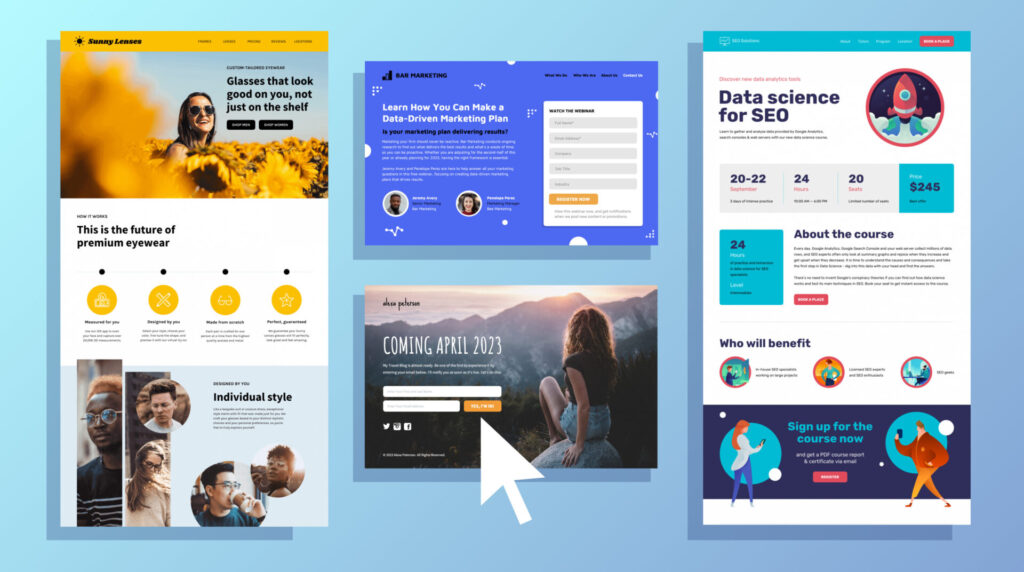

Great Ads Won’t Save a Bad Landing Page
You’re spending money on ads. You’re getting clicks. But sales? Not so much.
The problem probably isn’t your product. It’s your landing page.
In 2025, attention spans are shorter than ever, and visitors decide within 3–5 seconds whether they’ll stay or bounce. A weak headline, confusing layout, or slow load time can silently kill your conversion rates—without you even knowing it.
In this post, I will show you 5 common landing page mistakes we often see. I will also explain how to fix them. This way, you can turn visitors into customers. Whether you’re running a service-based business, an online store, or a marketing campaign, this guide is for you.
Mistake #1 – Weak or Confusing Headlines
Why It’s a Problem
Your headline is your hook. If it doesn’t instantly tell the visitor:
What you offer
Why it matters
What action to take
…they’ll click away.
Bad Example:
“Welcome to Our Site!” – Generic and unclear.
Better Example:
“Get 3X More Leads with AI-Powered Marketing Tools—No Tech Skills Needed.”
How to Fix It
Use benefit-driven language
Be clear, not clever
Add urgency or specificity when possible
Tool to Use: Headline Studio by CoSchedule
Mistake #2 – Too Many Calls to Action (CTAs)
Why It’s a Problem
Visitors get confused when you ask them to do 5 things on one page:
Sign up
Download a guide
Book a call
Watch a video
Join your newsletter
Confused visitors don’t convert—they leave.
How to Fix It
Focus on one single goal per landing page
Use a primary CTA and support it with repeated buttons and context
Make sure the CTA copy is action-oriented (e.g., “Get My Free Audit” vs. “Submit”)
Tool to Use: Unbounce or Leadpages for high-converting templates
Mistake #3 – Slow Load Time or Poor Mobile Experience
Why It’s a Problem
In 2025, over 70% of landing page traffic is mobile. If your site takes more than 3 seconds to load, half your visitors bounce—before they even read a word.
How to Fix It
Compress images and use lazy loading
Avoid heavy animations or video backgrounds
Use mobile-first design practices
Test load speed with Google PageSpeed Insights
Tool to Use: PageSpeed Insights
Mistake #4 – Lack of Social Proof
Why It’s a Problem
Even if you have the best product in the world, people won’t buy it if they don’t trust you. Without social proof, your landing page feels risky.
How to Fix It
Add real customer testimonials or video reviews
Display logos of companies you’ve worked with
Show trust badges (e.g., “Trusted by 1,000+ brands” or “Secure Checkout”)
Bonus Tip: Use “before and after” images or screenshots to show results.
Tool to Use: Trustpilot, Loox, or screenshot actual DMs/emails (with permission)
Mistake #5 – No Clear Offer or Value Exchange
Why It’s a Problem
People won’t give their email, time, or money unless you clearly explain what they get in return.
Too many landing pages say: “Join now” or “Subscribe”—but don’t say why.
How to Fix It
Be crystal clear on the value (e.g., “Download our free guide to triple your sales this month”)
Make the offer specific, tangible, and time-sensitive
Include a preview or benefit bullets (What’s inside? What problem does it solve?)
Tool to Use: Canva or Figma to design lead magnets, previews, or product mockups
Conclusion: A Great Landing Page Is Your Best Salesperson
If your landing page isn’t converting, don’t panic—it’s usually a fixable problem. Most businesses just don’t realize how small tweaks can make a huge difference.
Here’s the recap of what to fix:
✅ Headlines that grab
✅ One CTA, not five
✅ Speed + mobile optimization
✅ Social proof = trust
✅ A clear, valuable offer