



Let’s be honest. For most marketers, the inbox isn’t a “tool”- it’s a battlefield. It’s where client approvals clash with campaign reports, and where your carefully planned content calendar gets ambushed by last-minute “urgent” requests. Juggling multiple accounts, calendars, and to-do lists across a dozen browser tabs is a recipe for burnout.
With the right email clients, you can streamline your marketing efforts and achieve better results. Utilizing top email clients enhances communication and collaboration across teams.
This fragmented digital existence doesn’t just feel chaotic; it actively reduces cognitive efficiency, making it harder to focus, recall information, and ultimately, deliver your best work. The constant mental switching between disparate applications—your email, your CRM, your project management tool, your content calendar—is a silent killer of productivity, costing precious minutes that add up to hours, days, and even weeks over the course of a year.
But what if your inbox wasn’t the problem, but the solution? Investing in powerful email clients can transform your workflow and increase productivity. Effective email clients help in managing multiple tasks and communications efficiently. Utilizing advanced features of email clients can lead to better engagement metrics.
A recent breakdown by the automation experts at PR Register on the best email clients for Windows in 2025 revealed a powerful trend: the modern email client is evolving. It’s no longer just a place to read and write messages. It’s becoming a centralized command center for your entire marketing workflow.
Forget basic inboxes. We’re talking about powerful hubs designed for efficiency, integration, and brand control. These aren’t just minor updates; they represent a fundamental shift in how professionals manage their digital lives. Here are the key takeaways every marketer and agency needs to know as we redefine the capabilities of our most fundamental communication tool.
Key Trend #1: The Rise of the Unified Hub
The biggest productivity killer for marketers is context-switching. This mental gymnastics, known as context-switching, is more than just an annoyance; it’s a scientifically proven drain on cognitive resources. Each switch carries a ‘cost’ in terms of lost focus, decreased accuracy, and increased time to complete tasks. For marketers managing multiple campaigns, clients, and deadlines, this fragmented workflow can lead to overlooked details, missed deadlines, and a significant drop in overall output.
The best email clients of 2025 are solving this by becoming “unified hubs.” They integrate your core productivity tools into a single, seamless interface, eliminating the need to constantly bounce between applications.
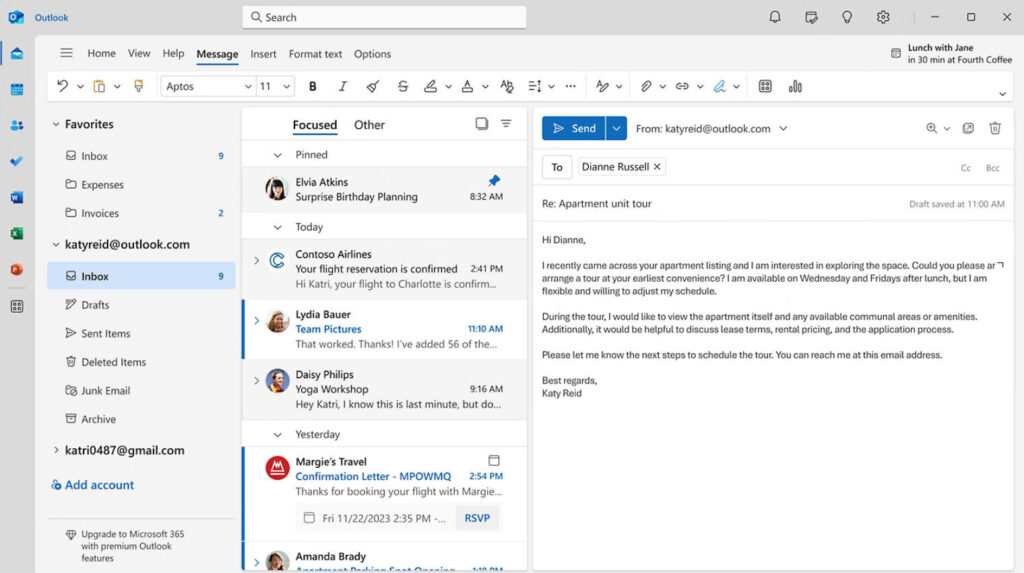
- The Insight: Powerhouses like Microsoft Outlook and eM Client aren’t just email apps anymore; they’re integrated suites. Beyond simple email, Outlook is a true nerve center for any team operating within the Microsoft ecosystem. Its seamless integration means you can pull up client histories from Dynamics 365, collaborate on documents in SharePoint or OneDrive, and conduct virtual meetings in Teams—all from the comfort of your email interface. This unified experience ensures that crucial information is always at your fingertips, making client management and campaign execution remarkably smooth.
- The Insight (continued): Meanwhile, eM Client takes this a step further by embracing a holistic view of your digital communications. It’s not just about email; it’s about having your calendar, tasks, contacts, and even popular chat services like Jabber or Google Chat aggregated in one intuitive dashboard. For account managers and project leads, this means less time hunting for information and more time focusing on strategic initiatives, ensuring that no client request or team update falls through the cracks. It creates a holistic view of your communications and commitments.
- Practical Application for Marketers: Imagine planning a campaign launch. Within your email client, you can:
- Read the client brief (email).
- Drag the email to your sidebar to create a task (To Do, Asana, Trello integration).
- Schedule the kickoff meeting with your team and the client, checking everyone’s availability instantly (Calendar).
- Look up the client’s contact history, past conversations, and attached documents without leaving the window (Contacts/CRM integration).
- Attach relevant files directly from your cloud storage (OneDrive, Google Drive, Dropbox) without ever leaving the compose window.
This isn’t a futuristic dream; it’s the new standard for professional-grade email management, transforming your inbox into an active project management tool.
Key Trend #2: Hyper-Customization and Brand Control
Marketers live and breathe branding. Every touchpoint a client or prospect has with your agency reflects on your brand. From the professionalism of your email signature to the timeliness and tone of your responses, these elements collectively build trust and reinforce your identity. In a competitive landscape, generic communication tools can make you blend in, rather than stand out, hindering your ability to convey professionalism and attention to detail.
Streamlining processes with effective email clients can save valuable time.
Top-tier email clients offer features that cater to diverse marketing needs.
The top-tier email clients recognize this, offering deep customization that goes far beyond a simple light or dark mode. They understand that a personalized workspace and consistent brand messaging are vital for modern marketing teams.
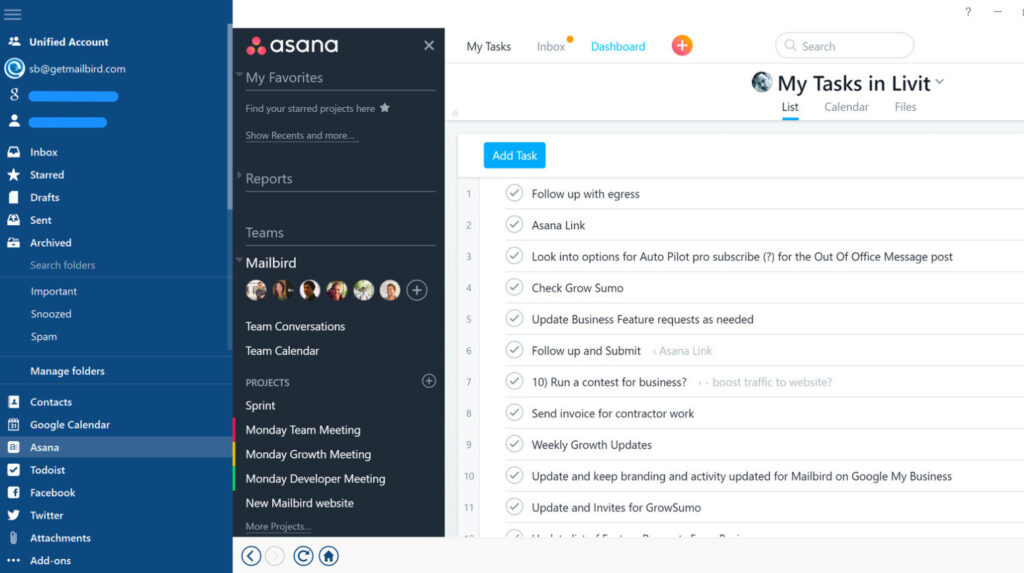
- The Insight: Apps like Mailbird and Postbox are built for the visual and creative professional. Mailbird shines for marketers who demand an aesthetically pleasing yet highly functional workspace. Its flexible layout options, customizable themes, and robust notification management allow you to craft an environment that enhances your personal workflow and minimizes distractions. But its true power lies in its deep integration with essential third-party apps like Slack, Trello, Asana, Google Docs, and even various social media platforms, putting your entire communication and project management stack in one place.
- The Insight (continued): Postbox is a dream for content creators and client-facing roles. Its advanced message composition tools go far beyond basic formatting. The ‘Responses’ feature, for instance, allows you to create an extensive library of beautifully designed, pre-written email snippets and templates. This means you can maintain consistent brand voice, instantly reply to common FAQs, or quickly send out branded onboarding packages without rewriting content from scratch. This not only saves immense amounts of time but also ensures every communication is polished, professional, and on-brand, elevating your agency’s image with every outgoing message.
- Practical Application for Agencies:
- Standardize Brand Assets: Create a master set of email signatures, disclaimers, and beautifully designed response templates in Postbox for your entire team to ensure brand consistency and legal compliance across all client communications, pitches, and inquiries.
- Build Your Ideal Dashboard: Use Mailbird to create a personalized workspace where your primary client inbox sits next to your project management board (via a Trello or Asana integration) and your team’s Slack channel. You can even integrate social media feeds to monitor brand mentions and respond directly, eliminating the constant alt-tabbing that kills focus.
- Accelerate Outreach: Leverage Postbox’s quick-reply snippets and robust templating system to personalize and send out high-volume outreach emails, follow-ups, or client updates in minutes, not hours.
- Standardize Brand Assets: Create a master set of email signatures, disclaimers, and beautifully designed response templates in Postbox for your entire team to ensure brand consistency and legal compliance across all client communications, pitches, and inquiries.
Key Trend #3: Open-Source Flexibility and Security
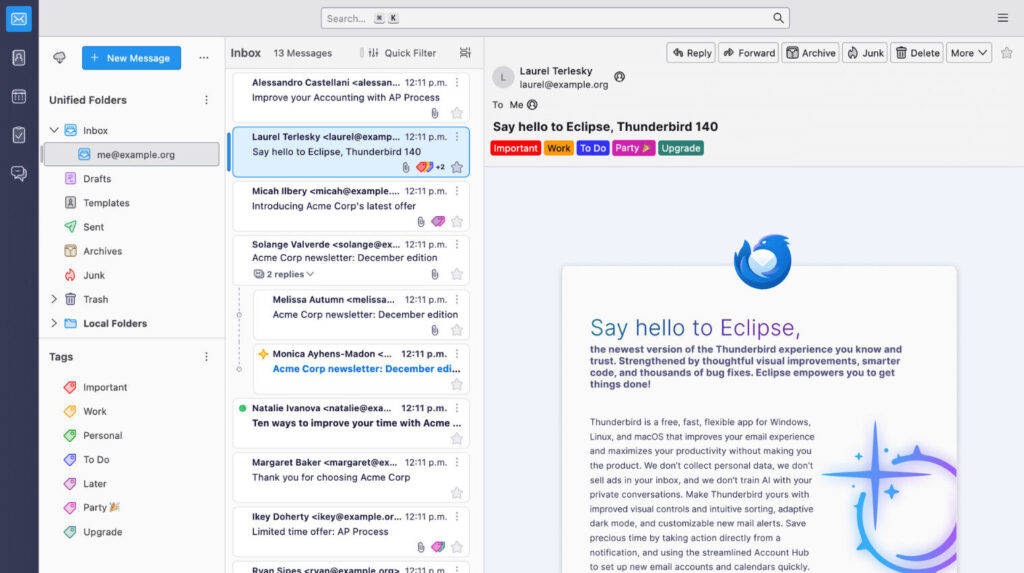
For tech-savvy agencies or marketing teams with specific security needs, relying on a closed, proprietary system can be limiting. In an era of increasing data breaches and heightened privacy regulations like GDPR and CCPA, the security and privacy of client data are paramount. Relying on closed, proprietary systems can raise concerns about data handling, vendor lock-in, and the transparency of security practices. This is where the open-source movement offers a compelling alternative that prioritizes privacy, extensibility, and community-driven excellence.
- The Insight: Thunderbird, stewarded by the Mozilla Foundation, is more than just a free email client; it’s a bastion of digital autonomy. Its open-source nature means its code is publicly auditable, fostering a level of trust and transparency that proprietary solutions often lack. This community-driven development also means constant innovation and rapid security updates, making it a highly resilient choice. For marketers handling sensitive client strategies, confidential campaign data, or proprietary research, Thunderbird offers robust features like built-in support for PGP encryption, strong spam filtering, and granular control over data storage.
- The Insight (continued): While it may require a bit more setup for advanced configurations, the payoff is a tool that can be molded to your agency’s exact needs, offering unparalleled control over your data and workflows. Its vast ecosystem of add-ons transforms it into a highly adaptable tool, capable of integrating with niche CRMs or implementing custom security protocols tailored to your agency’s specific compliance requirements.
- Practical Application for Marketers: Use Thunderbird’s vast library of add-ons to connect it to your proprietary CRM, build custom workflows for lead nurturing, or implement advanced encryption protocols (like PGP) for communicating with high-security clients or when exchanging sensitive financial or strategic data. An agency working with high-profile clients or handling confidential product launches can leverage Thunderbird’s advanced encryption to secure all email communications, ensuring that sensitive information remains protected from prying eyes. It’s your marketing data, on your terms, providing peace of mind and demonstrating a commitment to data integrity.
The Bottom Line: Which Command Center is Right for You?
Modern email clients provide tools that simplify daily marketing tasks.
Using versatile email clients, teams can enhance their task management capabilities.
Choosing an email client in 2025 is a strategic decision that directly impacts your team’s efficiency, security, and ultimately, your marketing ROI. It’s no longer just about sending messages; it’s about empowering your team to work smarter, more securely, and with greater brand consistency.
The right email client empowers your team to consolidate fragmented workflows, amplify your brand’s professionalism, and secure your valuable data. By selecting a solution that aligns with your agency’s operational needs and strategic objectives, you transform a daily necessity into a powerful competitive advantage. Here’s a quick guide based on your marketing persona:
- For the All-in-One Corporate Marketer: If you live and breathe in the Microsoft ecosystem, Outlook is your non-negotiable command center. Its deep integration is unmatched, providing a cohesive environment for everything from meeting scheduling to document collaboration, making it ideal for large teams and regulated industries.
- For the Aesthetically-Driven, Modern Marketer: If you value a beautiful, clean interface and seamless integrations with modern apps like Slack, Trello, and Asana, Mailbird is your perfect fit. Its clean design, extensive app integrations, and flexible layouts create an intuitive and highly efficient hub for creative professionals and busy marketers juggling multiple communication channels.
- For the Hyper-Organized Account Manager: If you need best-in-class contact management, a comprehensive view of all your communications, and robust calendar capabilities, eM Client is a data-driven powerhouse. Its unified view of email, calendar, tasks, and contacts, combined with powerful search capabilities, makes it indispensable for managing complex client relationships and project timelines with precision.
- For the Creative Content Marketer: If your day is filled with crafting the perfect outreach email, personalized campaign messages, or consistent client responses, Postbox’s powerful composition tools will save you hours. Its rich templating and reusable “Responses” features ensure brand consistency and significantly accelerate outbound communications, perfect for outreach, customer service, and PR roles.
- For the DIY, Security-Conscious Agency: If you want total control, zero cost, and robust security and privacy features, the open-source freedom of Thunderbird is for you. This freedom, combined with strong privacy features and a massive add-on ecosystem, makes it the ideal choice for agencies prioritizing data control, customization, and cost-effectiveness without vendor lock-in.
Your email client is no longer a passive utility. It’s an active partner in your marketing success. By choosing a tool that consolidates your workflow, reinforces your brand, and integrates with your stack, you’re not just clearing your inbox—you’re building a more productive and powerful marketing engine that drives results.
Many marketers rely on robust email clients to effectively manage their projects.
Many marketers are embracing innovative email clients to stay competitive.
What’s your go-to email client for managing your marketing chaos, and what are your favorite productivity hacks that make it your command center? Share your insights in the comments below! Email Clients help streamline your efforts and enhance client relationships.
Marketing success is directly linked to effectively utilizing top-notch email clients. For any marketing team, choosing the right email client is a game changer, significantly improving collaboration and efficiency.
For agencies, the appropriate client can enhance service delivery and plays a crucial role in managing client relationships. Effective email clients allow for streamlined communication with clients and leads, and the available personalization options can significantly enhance the overall client experience.
Ultimately, the choice of email client will shape your marketing success. Your ability to achieve better results, manage projects efficiently, and enhance your communication strategies hinges on selecting tools that align with your marketing goals.
Key Takeaways for Marketers:
- Foundation for Results: The right email client sets the foundation for better marketing outcomes.
- Workflow Ally: It’s an ally in achieving marketing excellence and streamlining your entire workflow.
- Strategic Investment: Don’t underestimate this tool. Invest wisely in email clients that support your specific goals for maximum impact.
In conclusion, the effectiveness of your email clients will greatly impact your marketing outcomes. Embrace the advantages that modern email clients offer to transform your initiatives and set your team up for success.



One Response
I really enjoy studying on this internet site, it has superb posts. “One should die proudly when it is no longer possible to live proudly.” by Friedrich Wilhelm Nietzsche.