


The 6 best AI CRM tools in 2025
Artificial intelligence has moved from a futuristic buzzword to a practical business tool, and nowhere is its impact more profound than in how we manage customer relationships. If your current CRM is little more than a glorified address book, you’re falling behind. The new standard is a platform that doesn’t just track your past conversations but helps predict your future success.
Imagine a system that scores your leads automatically, drafts personalized follow-up emails, and flags at-risk deals before you even notice a problem. This isn’t science fiction; it’s the reality of AI CRMs. I’ve spent the last month immersing myself in these intelligent systems to identify which ones are true game-changers. Here’s your guide to the best AI CRM software on the market.
The best AI CRM tools
- Salesforce Sales Cloud for enterprise-level customization
- HubSpot CRM for aligning marketing and sales
- Pipedrive for visual pipeline management
- Vtiger for small to mid-sized teams
- Zendesk for customer support
- Zapier for AI orchestration
What is an AI CRM?
An AI-powered CRM goes beyond traditional customer relationship management by using artificial intelligence to automate tasks, analyze data, and provide actionable insights. While your grandfather’s CRM stores customer information and tracks interactions, an AI CRM actively helps you make better decisions about how to engage with customers.
Here’s what makes AI CRM’s special, in that “this thing is going to replace me, isn’t it?” kind of way:
- Automation of routine tasks: AI can handle data entry and follow-up reminders and even draft emails or responses based on context.
- Smart data analysis: Instead of your team staring blankly at spreadsheets, trying to divine meaning like ancient mystics reading goat entrails, AI CRMs analyze patterns across thousands of customer interactions to spot trends humans might miss.
- Predictive capabilities: The AI can forecast which deals are likely to close, identify at-risk customers, and suggest optimal times to reach out.
- Personalization at scale: Remember when you wrote “Hi [First Name]” and called it personalized? That’s cute. AI CRMs tailor messages to individual customers without requiring manual customization for each interaction.
- Continuous learning: The more data it processes, the better it gets at helping you look good. Which is really the goal, right?
What makes the best AI CRM?
I started with a list of over 20 popular CRM platforms that claim AI capabilities. From there, I focused on four functions: AI customization, unified customer view, predictive analytics, and ease of adoption.
I also considered factors like pricing, integration capabilities, and customer support.
To gather comprehensive data, I tested each platform myself, spoke with current users, analyzed customer reviews, and constructed an elaborate Google Sheet that would make even the most dedicated project manager weep with joy. The goal was to identify tools that not only have impressive AI features on paper but can deliver results in real-world business settings.
After wading through enough marketing BS to fertilize the entire state of Nebraska, I narrowed down the field based on four key criteria:
- AI customization: The best AI CRMs let you tailor the artificial intelligence to your specific business needs. You should be able to train the system with your data, customize workflows, and adjust how the AI makes predictions.
- Unified customer view: Contrary to popular belief, AI isn’t magic—it’s basically a glorified calculator with access to lots of customer data. I only considered AI CRMs that pull data from every possible corner—sales, marketing, support, maybe even your dreams—to give AI a comprehensive, 360-degree view of each customer. Only then can it pretend to “know” them well enough to recommend anything besides a restraining order.
- Predictive analytics: Predictive analytics uses historical data to forecast future outcomes. When done right, it can help you make smarter decisions. When done wrong, it’s just an expensive way to be confidently incorrect.
- Easy adoption: Even the most advanced AI is useless if your team won’t use it. I prioritized systems that balance sophisticated AI capabilities with user-friendly interfaces.
With these criteria in mind, let’s explore the best AI CRM tools, each excelling in different areas to meet various business needs.
The best CRMs with AI at a glance
| AI CRM | Best for | Standout features |
| Salesforce Sales Cloud | Enterprise-level customization | Unparalleled customization and AI capabilities |
| HubSpot CRM | Aligning marketing and sales | Intuitive user experience and smoothly integrated AI |
| Pipedrive | Visual pipeline management | Clear drag-and-drop pipeline visualization |
| Vtiger | Small to mid-sized teams | Customizable AI at an affordable price |
| Zendesk | Customer support | Combines powerful AI with an intuitive agent experience |
| Zapier | AI orchestration | Integrates 8,000+ apps with built-in AI |
Best AI CRM for enterprise-level customization
Salesforce Sales Cloud (Web, iOS, Android)
- Pros: Industry-leading AI capabilities, Extensive customization options, Huge ecosystem of apps and support
- Cons: Complex to set up and configure, Heavy reliance on high-quality data
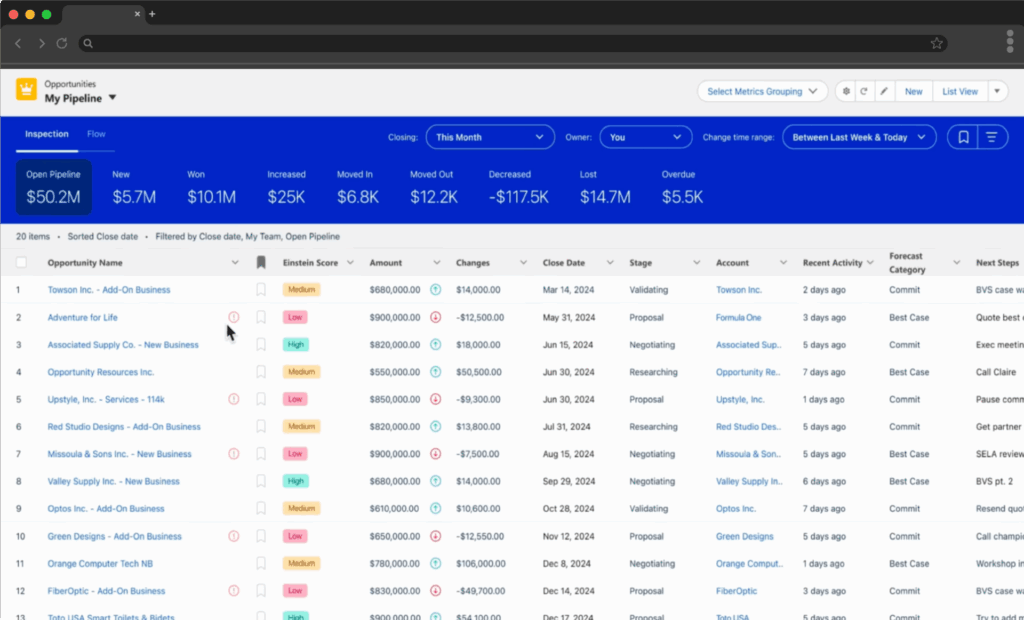
Salesforce has been around since the dawn of time (or 1999, same diff), and it’s still the heavyweight in the CRM space. Its Einstein AI (named after the famous physicist, not the bagel company, though both are equally valid) offers a mix of pre-built features and deep customization. That balance makes it a popular choice for massive companies that need a massive platform to manage their massive customer databases.
Einstein handles predictive lead scoring, deal prioritization, and pipeline forecasts right out of the box. The generative AI features are strong, too. It can draft personalized emails, summarize calls with key takeaways (even catching the customer’s sentiment), and suggest next steps tailored to specific deals.
I tested Einstein’s Opportunity Insights feature extensively. It flagged deals at risk with surprising accuracy, often identifying issues I hadn’t noticed in my test scenarios. The AI considers factors like communication frequency, stakeholder engagement, and historical deal patterns to calculate risk scores. Luke Chapman, senior SEO strategist at BigChange, told me that Opportunity Insights has cut his team’s sales cycle time by about 10%.
Salesforce allows significant AI customization through tools… impressive when properly implemented. To do even more with it, connect Salesforce to Zapier and start orchestrating AI across your entire sales workflow. Instead of just automating simple tasks, you can layer AI into your processes to make Salesforce smarter and more proactive, turning Salesforce into a central hub where AI, automation, and your sales data work together in real time.
Salesforce Sales Cloud pricing: From $25/user/month (billed annually)
Best AI CRM for aligning marketing and sales
HubSpot CRM (Web, iOS, Android)
- Pros: Intuitive user experience and smooth onboarding, Extensive integrations, Robust documentation and community
- Cons: Confusing pricing structure, Limited AI customization, Generative AI outputs can feel generic
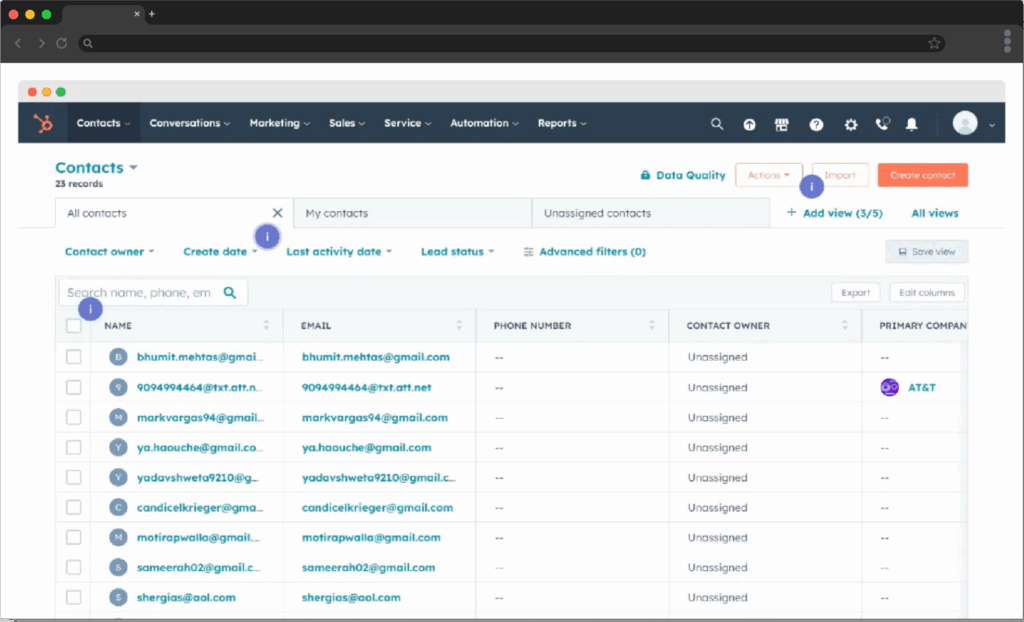
Once a humble marketing automation tool, HubSpot has morphed into a full-blown CRM powerhouse that gets your entire RevOps team working together on one approachable and surprisingly powerful platform. The thing that makes HubSpot stand out is how gosh darn easy it is to use. Honestly, I haven’t seen many other solutions that make advanced AI feel so accessible to everyday users.
HubSpot’s shiny, AI-enhanced toolkit (called Breeze AI) is smoothly integrated into the workflows you already use, making adoption significantly less painful than a CRM like Salesforce.
Breeze AI is really a collection of different tools:
- Breeze Copilot: An in-app assistant that helps build workflows, summarize records, write content, and support outreach
- Breeze agents: AI-powered specialists designed to automate workflows and extend team capabilities
- Social Agent: writes social posts
for different products or sales processes. The AI learns from these customizations, improving its predictions and recommendations over time.
Pipedrive (Web, iOS, Android)
- Pros: Exceptionally clear pipeline UI and fast onboarding, Practical AI CRM that guides next steps and assists with outreach, Strong integrations via Marketplace and Zapier
- Cons: Not an all-in-one hub for marketing and service, Limited AI customization compared to enterprise suites, Add-ons can increase total cost
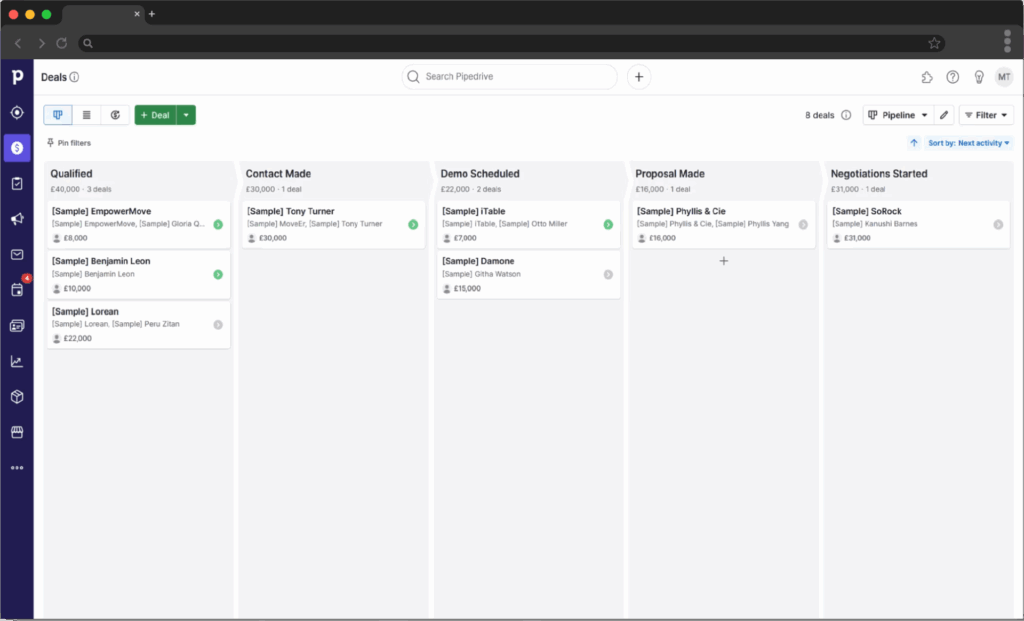
Pipedrive started as a streamlined pipeline tracker and has grown into a capable, AI-assisted sales CRM that keeps reps focused on moving deals forward. Its strength is clarity: every email, call, note, and activity is organized on a single, easy-to-scan timeline per deal, so sellers always know what happened and what to do next. While it doesn’t deliver a fully unified view across marketing, sales, and service, it excels at unifying sales data and day-to-day execution.
Pipedrive’s AI is woven into the workflows reps already use, making adoption feel natural rather than disruptive. It’s less about flashy features and more about practical guidance that helps you act faster and smarter.
Pipedrive AI CRM is really a collection of different tools:
- Sales Assistant: surfaces next-best actions, flags stalled or at-risk deals, and highlights opportunities to accelerate pipeline
- AI Email Assistant: drafts and refines outreach, follow-ups, and subject lines to keep communication moving
- Deal and activity summaries: condense record history so reps can prep quickly before calls or handoffs
- LeadBooster add-ons (Chatbot, Prospector, Web Forms): capture, qualify, and enrich leads to keep the top of the funnel healthy
The Pipedrive Marketplace offers 500+ integrations, and connecting it with Zapier lets you orchestrate AI across your entire sales process. For example, when a high-value deal is created, Zapier can analyze historical data, generate an executive-ready summary, post it to Slack for leadership visibility, and log the deal across the rest of your sales stack.
Pipedrive pricing: From $14/seat/month
Best AI CRM for small to mid-sized teams
Vtiger (Web, iOS, Android)
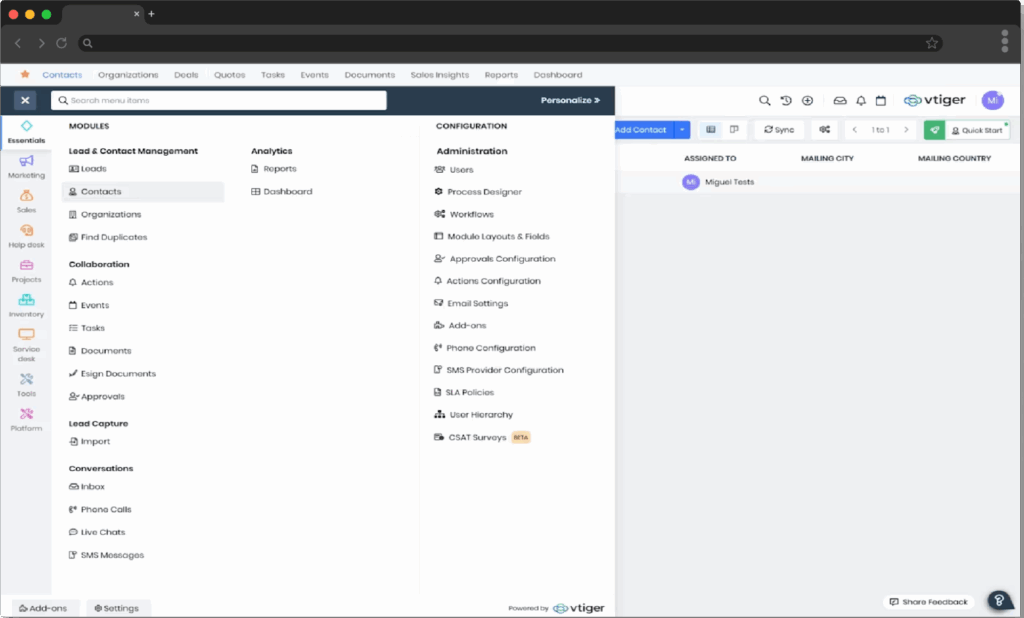
- Pros: Suite of AI features for generative AI, predictive analytics, and AI agents, Tight integration with Microsoft Teams, Cost-effective alternative to pricier solutions
- Cons: Limited marketing-specific automation and AI, Dated interface and user experience
If you’ve never heard of Vtiger, you’re not alone. In fact, I initially confused it with VTech and spent five incredulous minutes wondering why the folks who made my nephew’s chirpy plastic laptop were now peddling customer relationship software.
Except amount of AI functionality and good value for businesses that find themselves in that awkward middle ground of being too complex for basic CRMs but not ready to commit to the cost and complexity of enterprise solutions. There’s even a free CRM plan that actually includes useful features, not just a glorified contact list that passive-aggressively reminds you of its limitations every time you try to do anything.
But the AI features don’t kick in until you start paying. Some key functions aren’t built-in and require you to integrate other apps. The good news is that Vtiger connects with Zapier, so you can connect it to thousands of other apps and build AI-powered automated systems. For example, Zapier can automatically add new Vtiger leads to Mailchimp, enroll them in a welcome campaign, and update their status in real time.
Vtiger pricing: AI plans from $12/user/month
Best AI CRM for customer support
Zendesk (Web, iOS, Android)
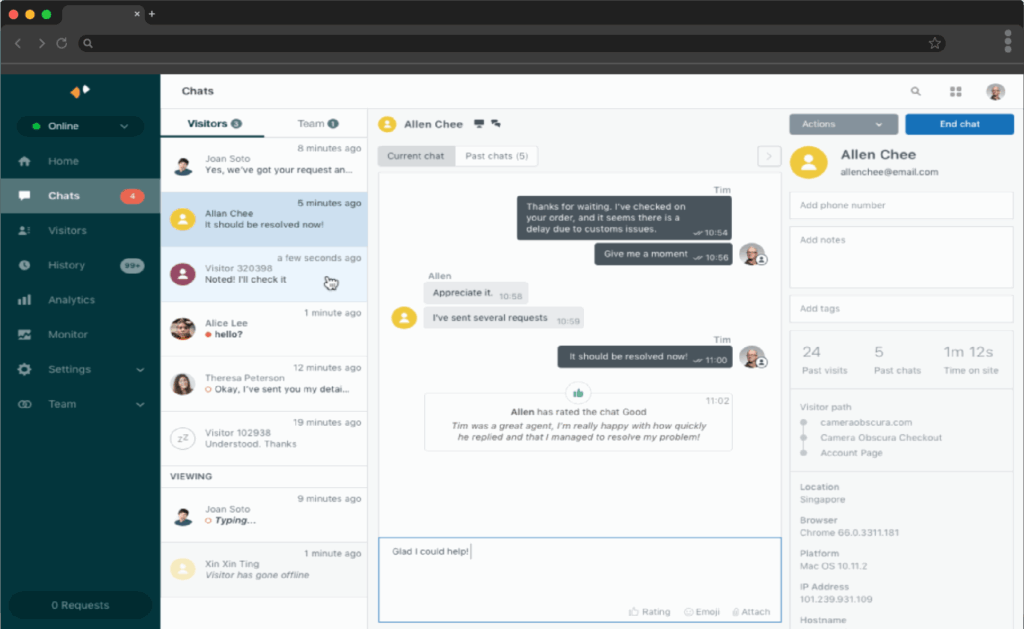
- Pros: Industry-leading support automation, Extremely customizable, Excellent triage and resolution tools
- Cons: Slower performance than lightweight CRMs, AI assistant only available as paid add-on
Zendesk for customer service is the kind of CRM that transforms customer support from a necessary evil into a competitive advantage. Most that make it feel more like creating a lifestyle blog than a boring help center. You can make it match your brand perfectly, which means customers won’t get that jarring “wait, am I still on the same company’s site?” feeling that happens with so many generic support portals.
Zendesk AI can also assist in creating and maintaining knowledge base content. For companies without a help center, AI can help generate hundreds of articles from basic bullet points. It can also flag articles that are underperforming or outdated and highlight top-viewed ones to ensure they remain current.
As for downsides, the biggest one is price. Zendesk can get expensive fast, particularly for advanced features like skills-based routing and customer self-service portals, which require a premium plan. Getting your data out of the platform can also be a headache if you want to analyze it with your own tools.
In addition to the 1,700+ integrations in its app marketplace, Zendesk also integrates with Zapier so you can expand its customer support automation functionality without writing a single line of code. For example, you can route high-priority Zendesk tickets into PagerDuty for urgent alerts, while also logging ticket details in a Google Sheet for reporting.
Want To Choose The Best Option For Your Team – Contact Us And We Will Help You Choose Best AI CRM For Your Team.